Your team needs to know whether a client has provided sensitive information. Not everyone needs to read it. With Meo, a coordinator can track receipt while an authorized technician reveals the answer when it is needed for the work.
Every answer to an information block is encrypted before storage and stays masked. Permission to reveal it is assigned by role, and each reveal is recorded in the activity log. Your team can follow up without forwarding the sensitive information.
Tell the client where to provide the answer
In this fictional example, an agency needs to work on a test website. The provider does not support individual access for the technician, so the client needs to share the maintenance account password. Include this instruction with the Meo request:
To work on your test website, we need the maintenance account password. Enter it in the Meo request rather than replying with it by email. We do not need your email or billing credentials.
The coordinator tracks receipt, the technician does the work
Configure roles to match that division of work: the technician’s role has permission to view sensitive information; the coordinator’s role does not. This permission applies to members of the role, rather than one person selected for this particular answer.
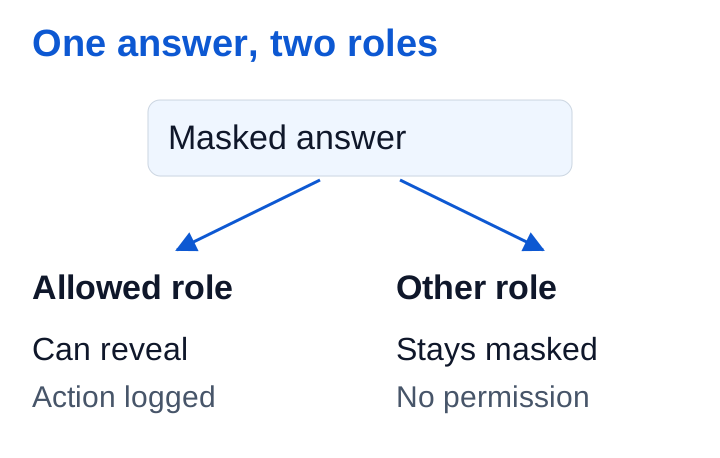
The coordinator sees that the answer has arrived but cannot reveal it. They hand over the work with an internal message explaining where to find it:
Test website access received in Meo. You can pick up the work; the password is in the client’s answer.
The authorized technician opens the answer and reveals it when needed. The action is logged. There is no need to copy the password into the task or follow-up message.
Finish the work and close access
When the engagement ends, the account owner changes the password or removes access with the provider. In Meo, the block’s retention rule prevents the answer from being revealed at expiry, then erases it. That deletion does not disable external access or erase any copies made elsewhere.
Once the work is finished, the coordinator asks the client to confirm that access has been closed. They have followed the work from start to finish without needing to read or forward the password.