
Understand the sequence of emails and reminders
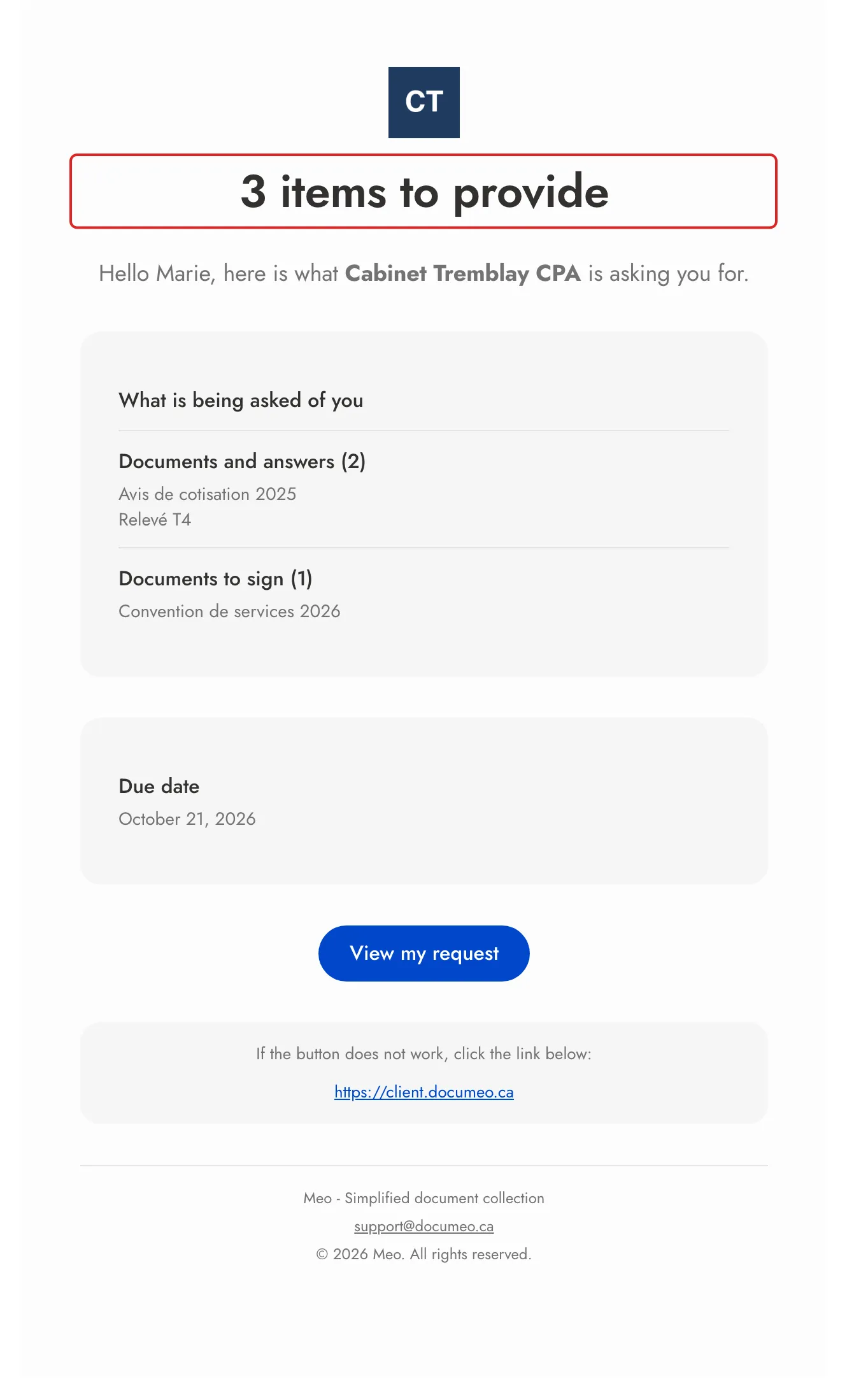
meo writes to each person on a request at set moments. The invitation and the reminders list what they still have to provide or sign, with a single button to their portal. The examples below use a space named Cabinet Tremblay CPA.
What each person receives
Section titled “What each person receives”| Moment | What the person receives | Email subject |
|---|---|---|
| The request is sent | The invitation: what is asked of them and the due date, by email, by SMS or both. | “Cabinet Tremblay CPA is asking you for 3 items”. With documents to sign only: “Cabinet Tremblay CPA - Document to sign”. With handed-over documents only: “Cabinet Tremblay CPA is handing you 2 documents”. |
| Their turn to sign, when signatures happen One after the other | “It is your turn to sign”, as soon as the previous person has signed. | “Cabinet Tremblay CPA - Document to sign” |
| After a few days without activity | A reminder counting what is left, for example “You have 2 items left” or “You have 1 document left to sign”. | “Reminder - Cabinet Tremblay CPA is waiting for documents” or “Reminder - Cabinet Tremblay CPA is waiting for your signature” |
| Each submission | A summary of what you received, by email only. If a signature is still expected from them, the email says so. | “Confirmation - Cabinet Tremblay CPA” |
| A correction is requested | The items to correct, with the reason. | “Cabinet Tremblay CPA - Correction requested” |
| A change, when Notify the client about this change is on | What was added, for example “2 items added”. | “Cabinet Tremblay CPA - New items to provide” |
| A document signed by everyone | The signed copy as an attachment, to each signer, by email only. | “Signed copy:” followed by the document name |
| A follow-up, created with Follow up | The follow-up’s invitation, with a new link. Someone already notified on the original request reads “more items”. | “Cabinet Tremblay CPA is asking you for 2 more items” |
| A cancellation, when Notify signers of the cancellation is on | The cancellation notice, to each person already notified. | “Cabinet Tremblay CPA - Request cancelled” |
A person with nothing assigned to them receives no invitation. If your client saves a draft in their portal without submitting it, they receive “Your saved request draft expires in 7 days” one week before it is deleted.
Automatic reminders
Section titled “Automatic reminders”At the Delivery step, the Automatic reminders card is on by default: Every 3 days, Up to 2 reminders. Click Customize to choose 2, 3, 5 or 7 days between reminders, and 1 to 3 reminders.
- The count starts from the last contact. meo counts the days since the last email sent to the person or since their last visit to their portal. When they come back to their portal, the series starts again from the first reminder.
- Only required items count. An optional item never triggers a reminder. Reminders also cover signatures whose turn has come: a single email lists everything.
- Remind until: Everything requested is complete (optional items aside), by default, or Client’s first submission.
- Reminder channel: Email only, by default, or Use each recipient’s channels to add SMS.
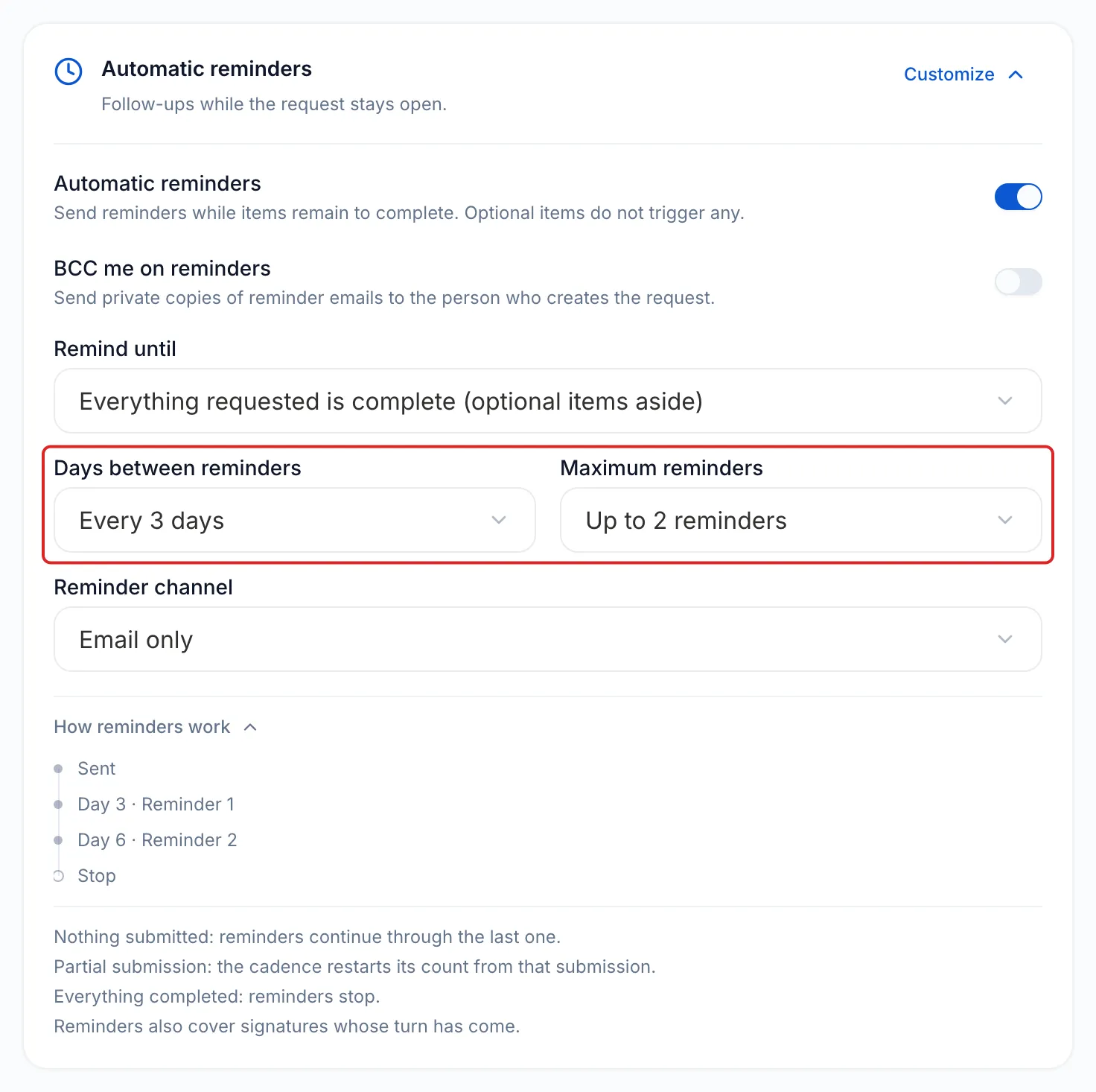
Reminders stop when the person has provided everything, when the collection is closed, or when the request is completed or cancelled. Once the request is sent, these settings are locked.
To remind people yourself, open the request, open the ⋯ menu, click Remind, then Send reminder. This reminder does not count towards the maximum and pushes back the next automatic reminder.
The due date
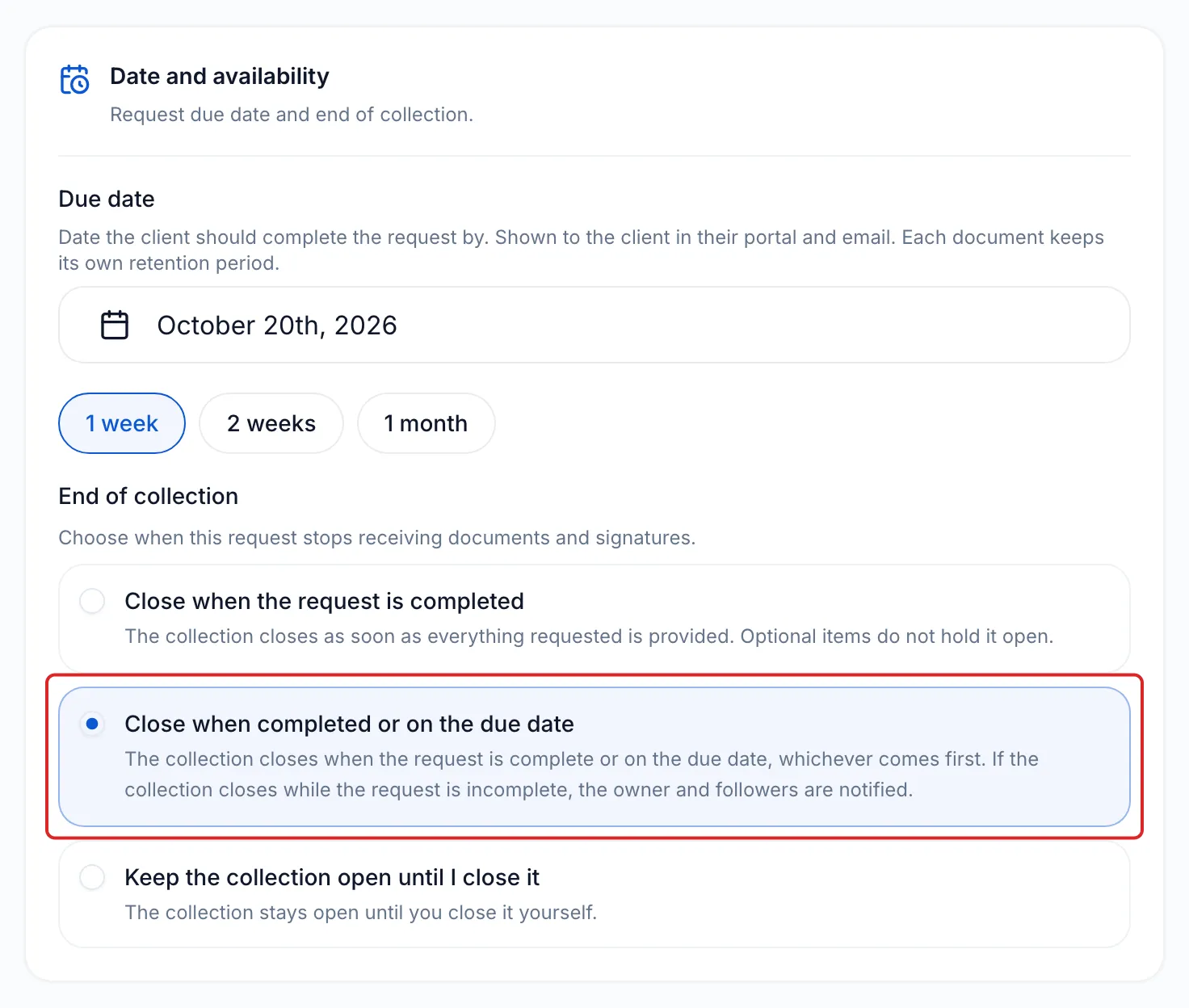
Section titled “The due date”The Due date is set one week later by default. It appears in the invitation and in every reminder, under Due date, and in the portal. No separate email announces it.
What happens on the due date depends on the End of collection:
| Choice | On the due date |
|---|---|
| Close when the request is completed (default) | Nothing changes: the collection stays open and the planned reminders continue. |
| Close when completed or on the due date | If the request is incomplete, the collection closes: the person can no longer send or sign anything. They are not notified. The request owner and its followers receive “Collection closed at the due date”, and the request shows Closed at due date. |
| Keep the collection open until I close it | Nothing changes: you close the collection yourself. |
Frequently asked questions
Section titled “Frequently asked questions”- How do automatic reminders work?
- Do reminders continue until all items are received?
- What happens on a request’s due date?
- Can you change the text of the emails sent to your clients?