
Report a privacy incident affecting a client
The Incident register gathers every privacy incident involving your clients’ personal information: what happened, the risk, the measures taken and the notices given. An email sent to the wrong person or a lost document are examples.
Before you start
Section titled “Before you start”- The register must be activated, see Set up the privacy tools.
- Anyone on your team can report an incident and sees their own reports. The organisation’s owners and administrators see, edit and close every incident.
Report the incident
Section titled “Report the incident”-
In the left menu, click Privacy, then the Incidents card. Click Report an incident.
-
Under What happened?, enter the Incident date, the Discovery date and the Description, which are required. If useful, add the Types of information affected, for example “name, email”, and the People affected (estimate).
-
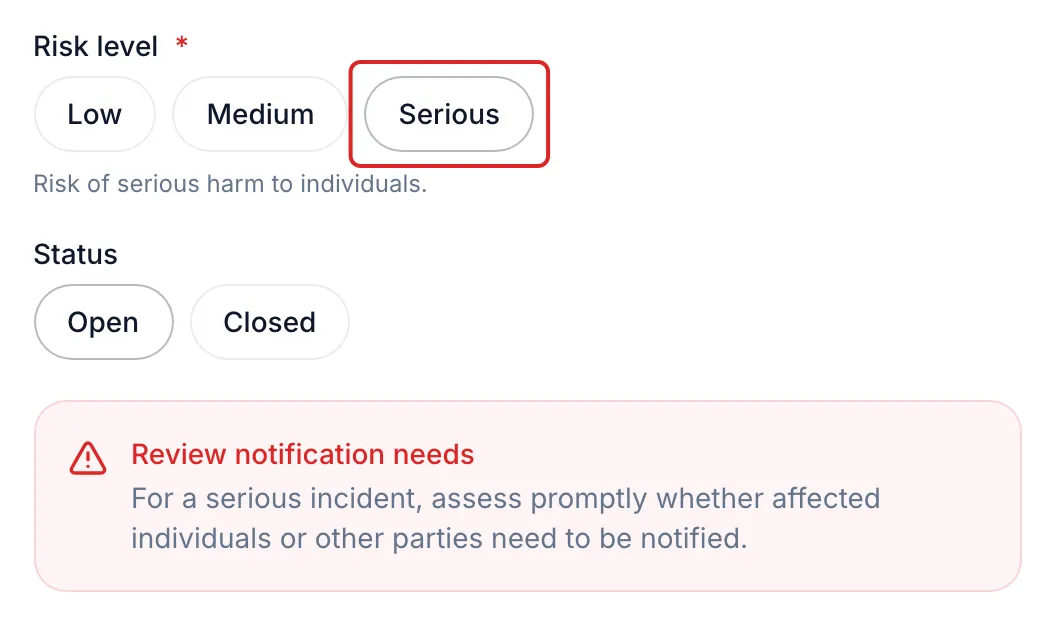
Choose the Risk level: Low, Medium or Serious, according to the possible harm to individuals. For a serious incident, meo shows Review notification needs: assess promptly who needs to be notified.
-
Describe the Measures taken and the Preventive measures, leave the Status at Open, then click Save.
Notify the people affected
Section titled “Notify the people affected”For a Serious incident, the register’s Notifications column shows 0/1. Click it: the Notify affected individuals window offers a notice written from the incident. Replace [Privacy contact name], [Email] and [Phone], click Copy text, then send the notice yourself. Then come back and click Mark as notified: meo records the date. meo sends no notice on your behalf.
Result
Section titled “Result”The incident is recorded in the register. While it is open, it shows on Home, under Needs your attention. To close it, click its row, choose Closed, then click Update.
Frequently asked questions
Section titled “Frequently asked questions”- Is meo enough to make your organisation compliant?
- Is compliance managed at the organisation level or for each space?
- How do you protect yourself from an employee who leaves with data?