
Follow a request created by a colleague
A request’s notices go to the people who follow it. When you create a request, you follow it automatically. To also receive the notices of a request a colleague created, follow it: nothing changes for your colleague or for the client.
Before you start
Section titled “Before you start”To follow a request, you need to be able to edit the space’s requests, with the Editor, Administrator or Owner role.
Follow a request
Section titled “Follow a request”-
Click Requests in the left menu, then the request.
-
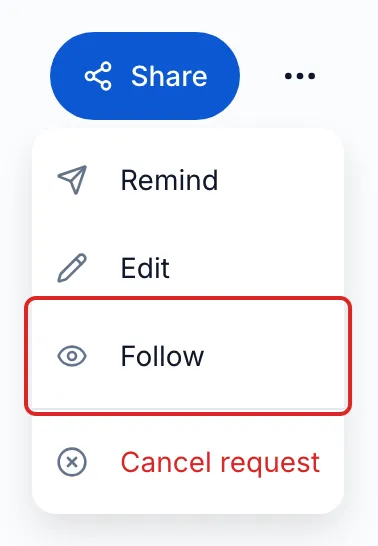
At the top of the request, next to Share, open the ⋯ menu (Options), then click Follow. meo shows “You are now following this request”.
-
To stop receiving its notices, open the ⋯ menu again and click Unfollow.
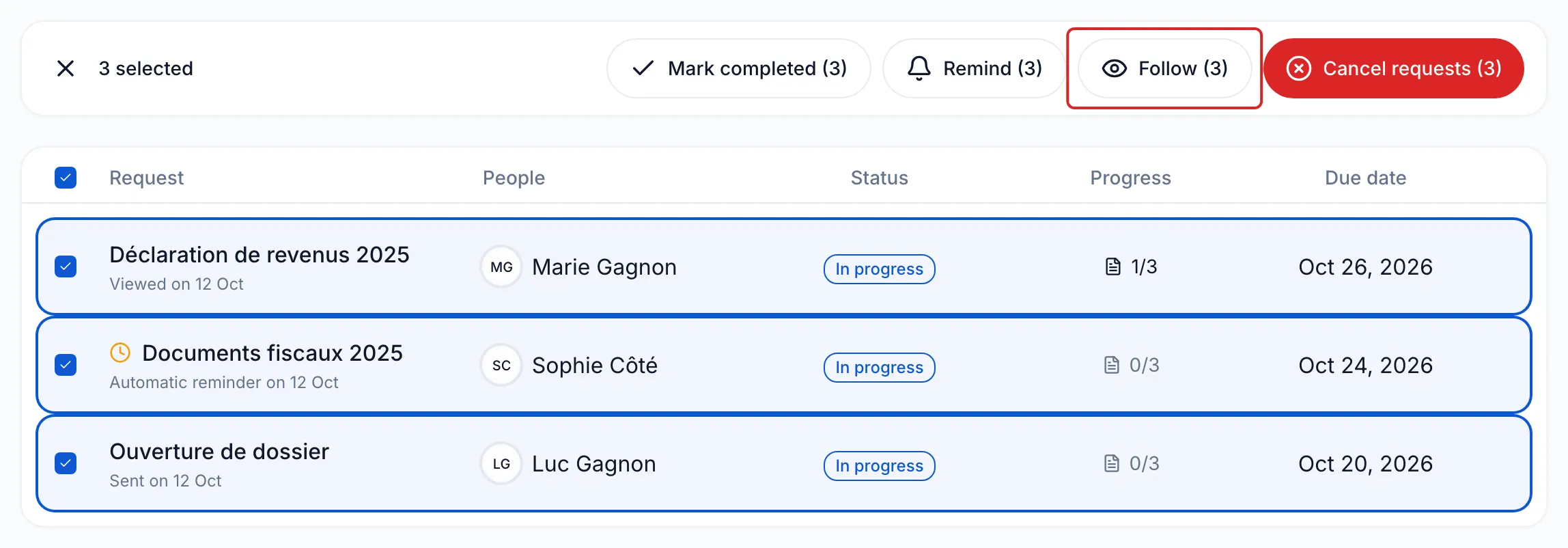
To follow several requests at once, tick them in the Requests list. A bar appears above the list with four actions, each followed by the number of requests: Mark completed, Remind, Follow and Cancel requests. Click Follow, then confirm. The same choice is in each row’s menu.
What you receive
Section titled “What you receive”You receive the same emails as the person who created the request:
| What happens | Email subject | Setting in Notifications |
|---|---|---|
| The client submits documents or answers | “New submission” | Documents received |
| Someone signs a document | “Document signed -” followed by the document name | Signatures received |
| Everything required is received | “Request completed” | Requests completed |
| The collection closes on the due date before everything is received | “Due date reached - nothing submitted” or “Collection closed at the due date” | Collections closed at the due date |
Each person chooses their emails in Settings, Account section, Notifications page. In the Requests list, a blue dot marks New unseen contact activity on the requests you follow, and the New documents tab groups them.
Good to know
Section titled “Good to know”- Each person follows a request for themselves: you cannot subscribe a colleague.
- Follow is no longer offered on a completed request.
- A follow-up, created with Follow up, is a new request: at first, only the person who created it follows it.
- meo does not show the list of people who follow a request.
Result
Section titled “Result”The request sends you its notices as it does to the person who created it, until you click Unfollow.
Frequently asked questions
Section titled “Frequently asked questions”- Who receives notifications when your client uploads documents?
- Can you receive a copy of the requests sent to your clients?