
Have your client accept terms without signing
A statement shows your client a text, for example your terms and conditions or your refund policy, and asks them to respond to it. There is no PDF and no signature: your client ticks a box or clicks a button, and meo keeps their response as proof.
Add the statement
Section titled “Add the statement”-
In the request, in the Request contents card, click Add an item.
If the statement already exists in your catalogue, choose the Statements filter, click Add next to it, then the button at the bottom, and go to step 7.
-
Under Create for this request, click Statement.
-
Under Identification, enter the Name your client will see, for example “Terms and conditions”.
-
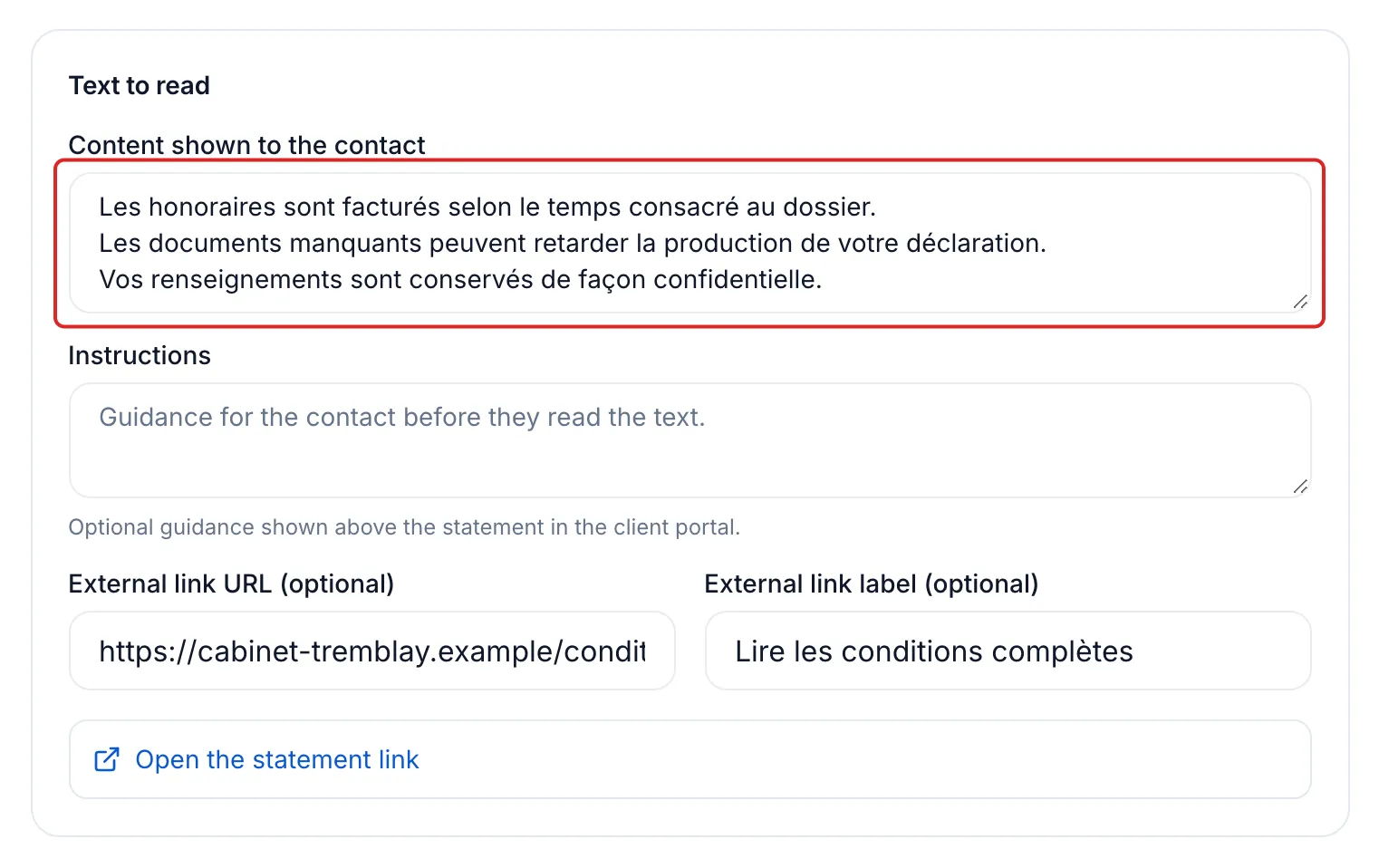
Under Text to read, paste the text into Content shown to the contact. To point to a web page, such as a supplier’s terms, also fill in External link URL (optional) and External link label (optional).
-
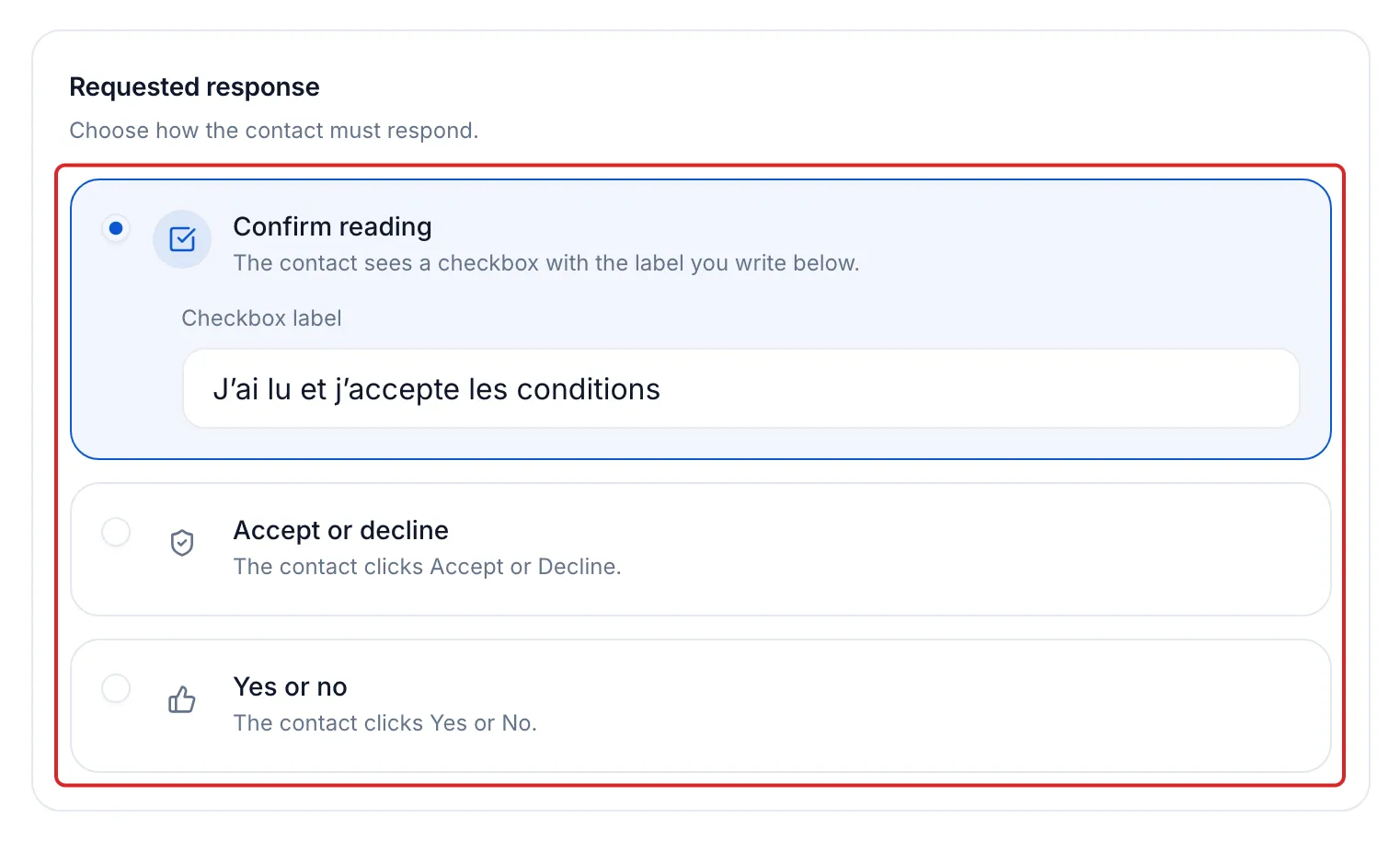
Under Requested response, choose how your client responds:
- Confirm reading: a checkbox. Enter its text in Checkbox label, for example “I have read and accept the terms”.
- Accept or decline: two buttons, Accept and Decline.
- Yes or no: two buttons, Yes and No.
-
Under Retention, choose how long to keep the response (one year by default). To reuse the statement in other requests, turn on Save to the catalogue. Click Add to the request, or Add and save.
-
Finish the request and send it. See Send a request to a client.
Result
Section titled “Result”When your client submits the request, the statement’s line shows their response and its date, for example “Accepted on” followed by the date.
What your client sees
Section titled “What your client sees”In their portal, your client sees the name, the text and, if there is one, the link button. They tick the box or click a button, then confirm their choice. Their response goes out with the rest of the request when they click Submit.
The proof kept
Section titled “The proof kept”Click the statement’s line in the request, then open Proof and activity. It shows the date recorded, the version of the text and its SHA-256 fingerprint. Neither the text nor the response can be changed after submission. The response is kept for the period chosen in step 6.
Good to know
Section titled “Good to know”- A Decline or No response is a response: the item counts as received. Read the response before moving on with the file.
- To adjust the text of a catalogue statement for one request only, open Settings in the item’s menu. The catalogue statement does not change.
- When a document must bear a signature, use a Signature document instead.
Frequently asked questions
Section titled “Frequently asked questions”- What can you ask your clients for in a request?
- Can you get confirmation that your client has read the documents you delivered?
- How do you make an item required?