
Ask your client for a credit card
Your client enters their card in a secure window of their portal. meo shows it to you when needed and deletes it automatically on the expiration date you choose.
Add the card to the request
Section titled “Add the card to the request”-
In the request, in the Request contents card, click Add an item.
If your catalogue already has a block with a card question, choose the Information blocks filter, click Add next to that block, then the button at the bottom, and go to step 5.
-
Under Create for this request, click Information block. Give the block a name, for example “Credit card”.
-
Click Add a question, then Payment card.
-
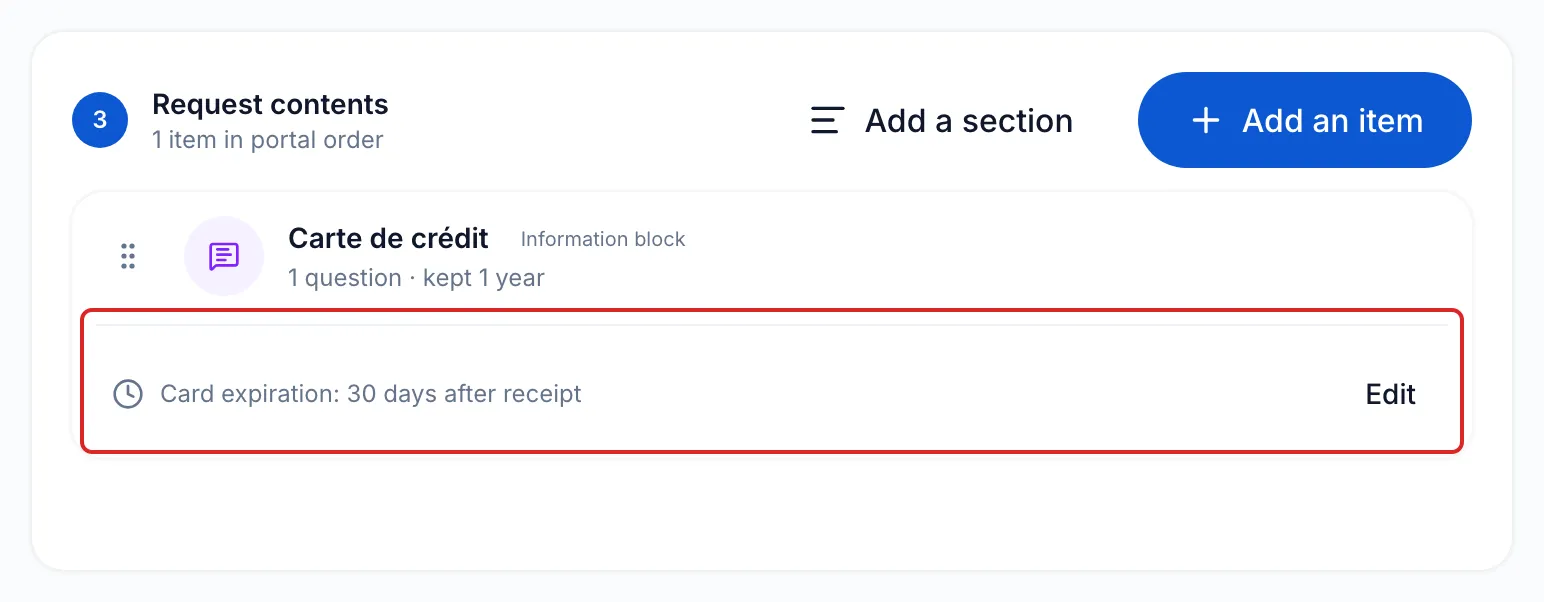
Under the question, meo asks How long should the card be kept? Click Set expiration, choose 7 days, 30 days, 90 days or 12 months, or enter a number of days up to 365, then click Apply. On that date, meo deletes the card automatically.
-
Click Add to the request, or first turn on Save to the catalogue to reuse this block. Finish the request and send it. See Send a request to a client.
What your client sees
Section titled “What your client sees”In their portal, your client clicks the card field. The Credit card window, marked Secure entry, opens. They enter their card there, security code included, then click Add card. The field then shows the card type and its last four digits.
View or delete the card received
Section titled “View or delete the card received”-
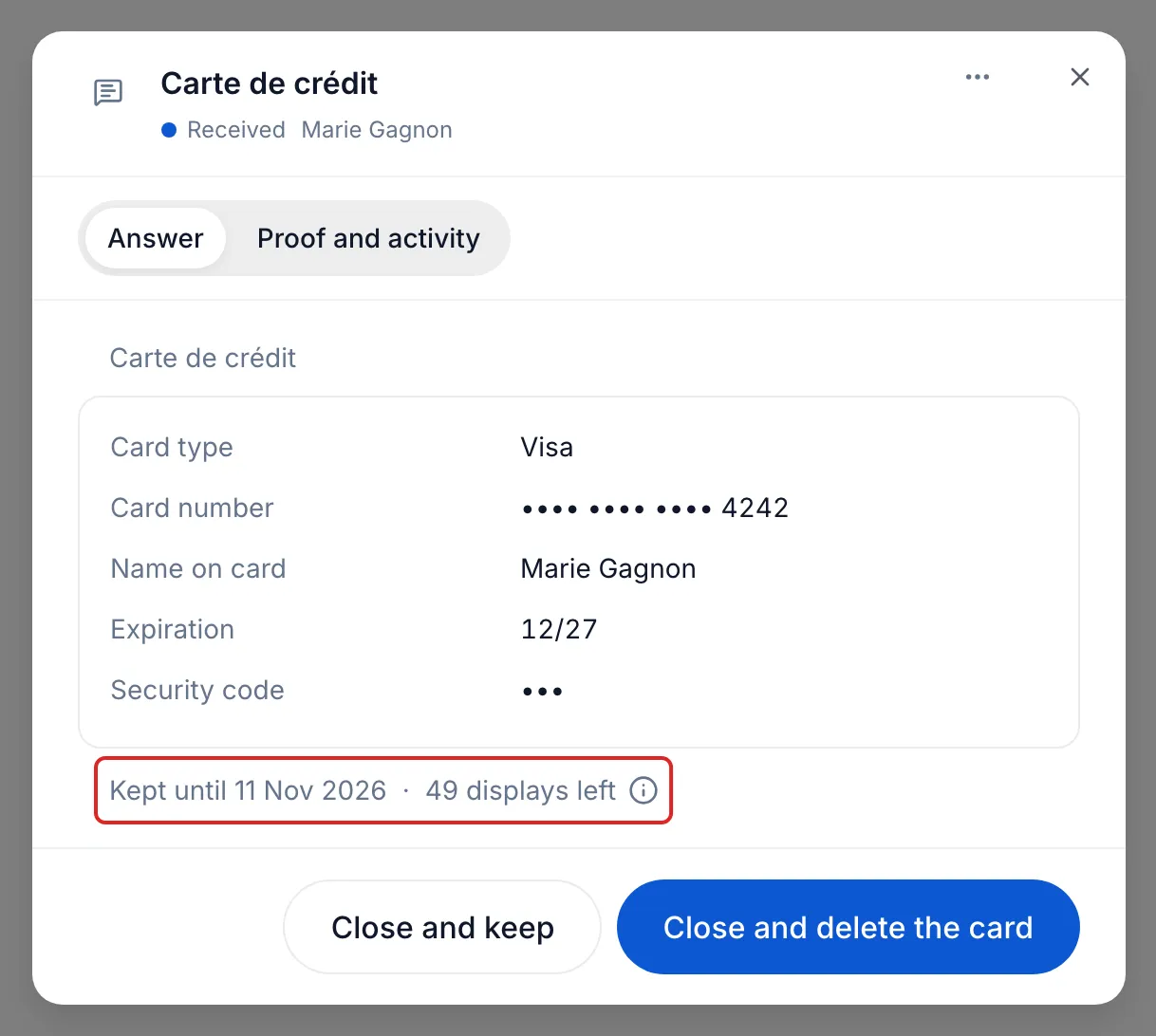
In the request, click the card’s line. The card appears in a secure area.
-
Under the card, read the deletion date (Kept until) and the number of displays left.
-
When you are done, click Close and keep, or Close and delete the card if you no longer need it.
Result
Section titled “Result”The card stays available until its expiration date, then meo deletes it, security code included.
Is it compliant to collect a card with meo?
Section titled “Is it compliant to collect a card with meo?”Yes for card entry and storage, which go through PCI Booking, a service provider assessed as PCI DSS level 1 compliant, the most demanding level, ISO 27001 certified, GDPR compliant and holding an attestation of compliance. meo has put in place flows that meet the strictest controls: it never holds the card number or its security code, and the meo platform holds a SOC 2 type 2 attestation. Your organisation keeps its own obligations, greatly reduced by this choice: see What do you need to do on your side?.
Good to know
Section titled “Good to know”- Every display counts: a card can be shown at most 50 times. After that, delete it and ask for it again if needed.
- Only team members with access to clients’ sensitive information see the card.
- The card also appears in the contact’s Info tab.
- If the expiration is not set, meo asks for it before moving on to the Delivery step.
Frequently asked questions
Section titled “Frequently asked questions”- What should you do when your client changes credit cards?
- Can you ask for sensitive information, such as a SIN, without going through a file?